
Category: Minecraft Plugins
Building a Minecraft Server with an AI Team#4A Resource Pack Pipeline Where ChatGPT Draws and Claude Reviews! 🎨
 Author: Mojangcam
This post was translated from the Korean original.
At a glance
ChatGPT draws, Claude handles specs and review. Here's how to put pixel coordinates in the prompt and make it draw the grid in Python first, the item definition JSON for 3-stage bow pulling in 1.21.11, and 5 mistakes that would have shipped without review.
- Minecraft Java 1.21.11 resource pack (pack_format 75) · actually merged and tested in-game 2026-09-30
- Item art must live under textures/item/ — put it in textures/gui/ and you get the purple-and-black checkerboard
- GUI backgrounds drawn as font glyphs only work at the window's actual size (1x) — 2x (352px) didn't render in-game
- Since 1.21.4, bow pulling uses condition + range_dispatch in an items/ definition instead of overrides
Contents8 sections
Hi there! It's Mojangcam 😎
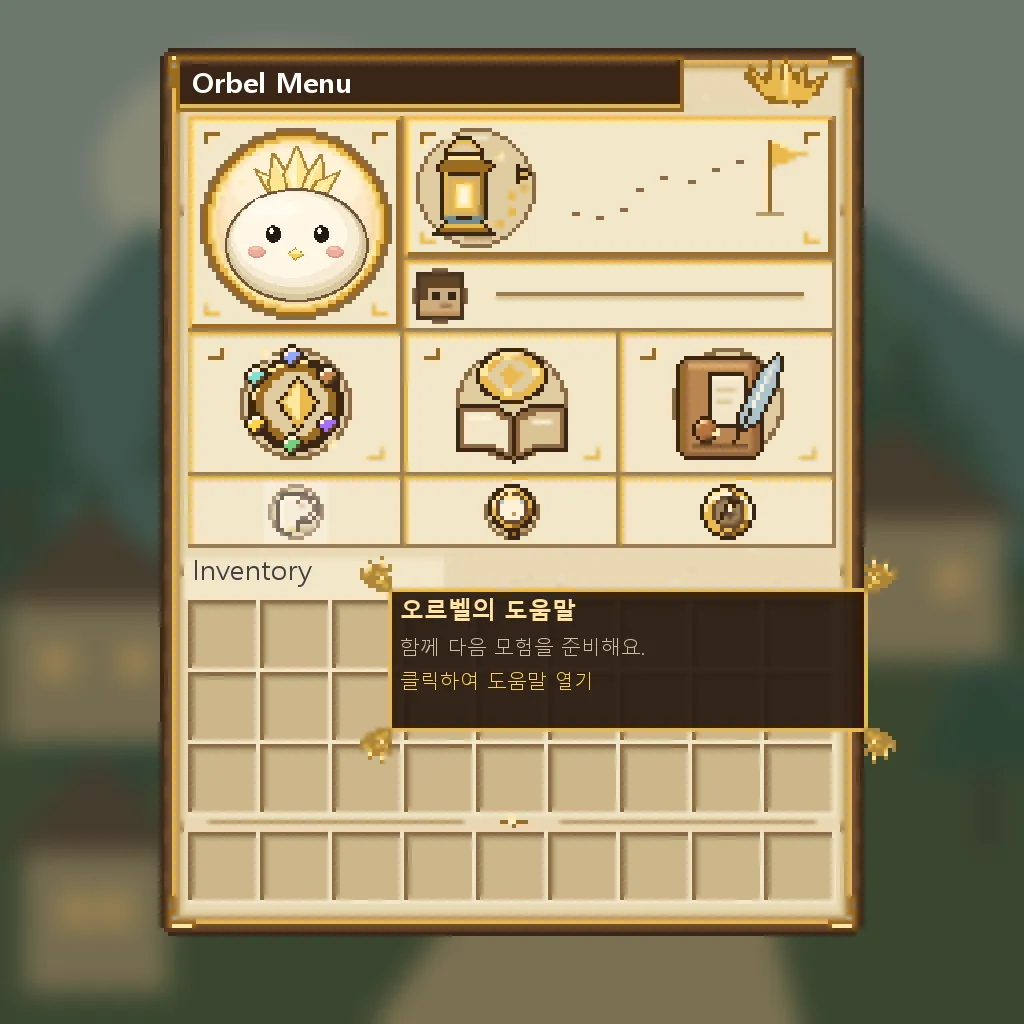
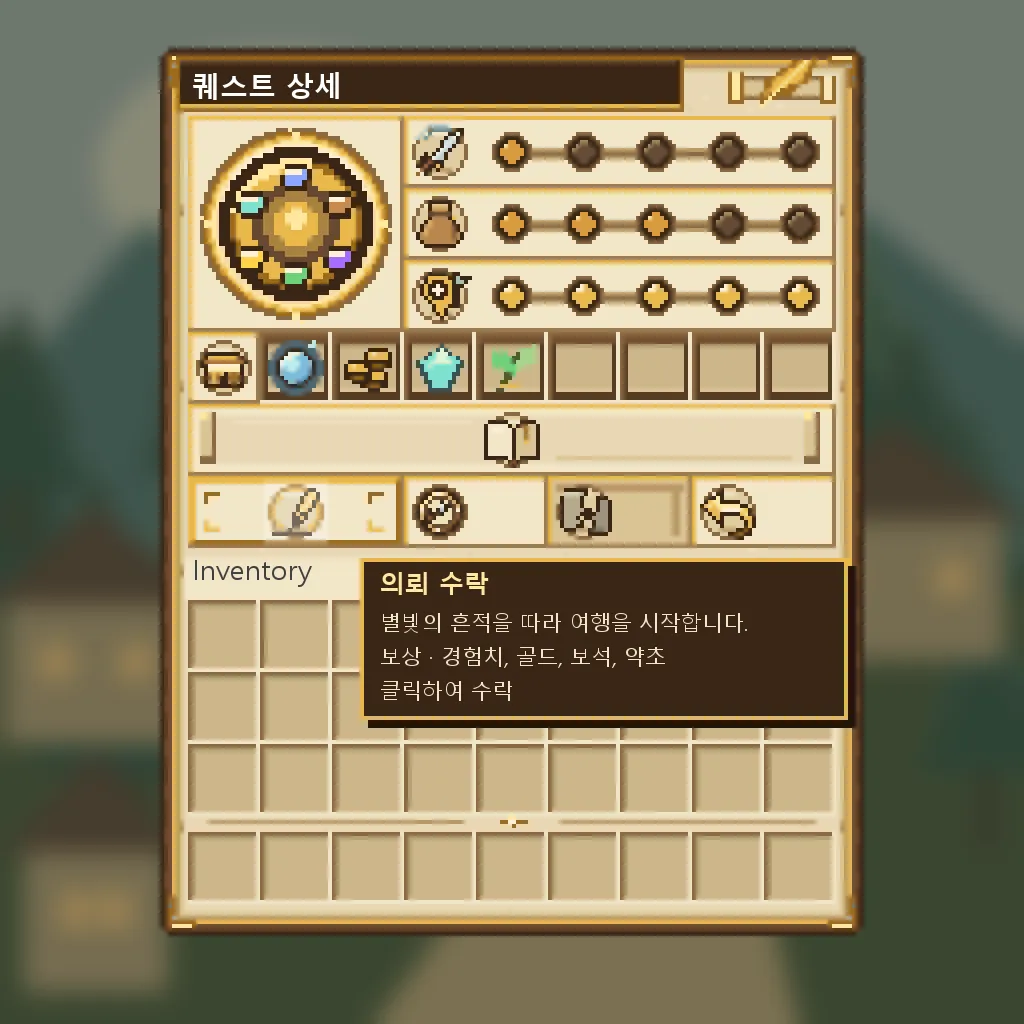
Last time, in #3, I covered number balancing. This episode is all about art. This server has custom GUIs (the "Orbel" helper menu and a quest journal), dozens of icons, and class weapon art. There's no way I could draw all of that myself, so I split up the roles.
| Who | What they do |
|---|---|
| ChatGPT | Draws the art + bundles the files into a zip |
| Claude (lead) | Writes prompts, reviews the zip, merges into the resource pack, bumps the version |
| Me | Pastes prompts into ChatGPT, hands the zip to Claude, checks in-game |
In this episode, I'll walk through this pipeline and the 5 mistakes the review caught.
📌 Step 1 - Prompts: Write Coordinates Instead of "Make It Look Good"
In Minecraft GUIs, a slot that's off by even 1 pixel stands out. So instead of vibes, I put specs in the prompt.
- Window size formula: width 176, height
114 + 18 × 줄 수(18 per row), slots are 18×18 starting at(7 + 18c, 17 + 18r) - A table of slot numbers and rectangle coordinates
(x, y, w, h)for each button - "Draw the grid precisely with Python (PIL) first, then layer only texture and decoration on top"
- Window interior fully opaque (so the vanilla gray window doesn't show through)
- No text in the images — button names come from in-game tooltips
- Nothing that looks like a cape, no imitating the style of real games or brands
- Output is a single zip: resource pack pieces + previews +
validation.json+ a Korean README
If an image-generation AI draws the grid "roughly," it's game over. Splitting the work into grid by code, art by AI made the biggest difference.
📌 Step 2 - Review: What Claude Does When a Zip Arrives
- Opens the preview images directly to look at them (doesn't just trust the AI-written validation.json)
- Measures image size, transparency, and slot positions
- Checks that every texture file referenced by the model JSONs actually exists
- Backs up any files that overlap with the existing resource pack before overwriting them
- Bumps the resource pack version, zips it up, and posts it to the resource pack channel on Discord
This process caught five mistakes.
📌 Mistake 1 - Texture Paths: One Step Away from the Purple-and-Black Checkerboard
In my first prompt, I wrote the icon path as textures/gui/quest/<id>.png. ChatGPT pushed back and pointed out that "item models can't read from this path."
Minecraft packs the textures used by item models into the block/item atlas, and by default only the textures/block/ and textures/item/ folders go in. Put them in textures/gui/ and they never make it into the atlas, so you get the purple-and-black checkerboard.
{
  "parent": "minecraft:item/generated",
  "textures": { "layer0": "myserver:item/gui/quest/crest_main" }
}
→ The image goes in assets/myserver/textures/item/gui/quest/crest_main.png. (You could also change the atlas config instead, but that means touching the minecraft namespace, so I avoided it.)
📌 Mistake 2 - The Two Bows Had Swapped Names
I got 6 bow-pulling images (2 bows × 3 stages). The previews looked fine. But when I compared them pixel by pixel against the originals, something was off.
- Every image named
t0(Adventurer's Bow) was actuallyt1(Oath Bow), and vice versa - The grip was off from the original by up to 9 pixels → the bow looks like it jumps in your hand the moment you draw it
- Dust-like specks were scattered around the bows
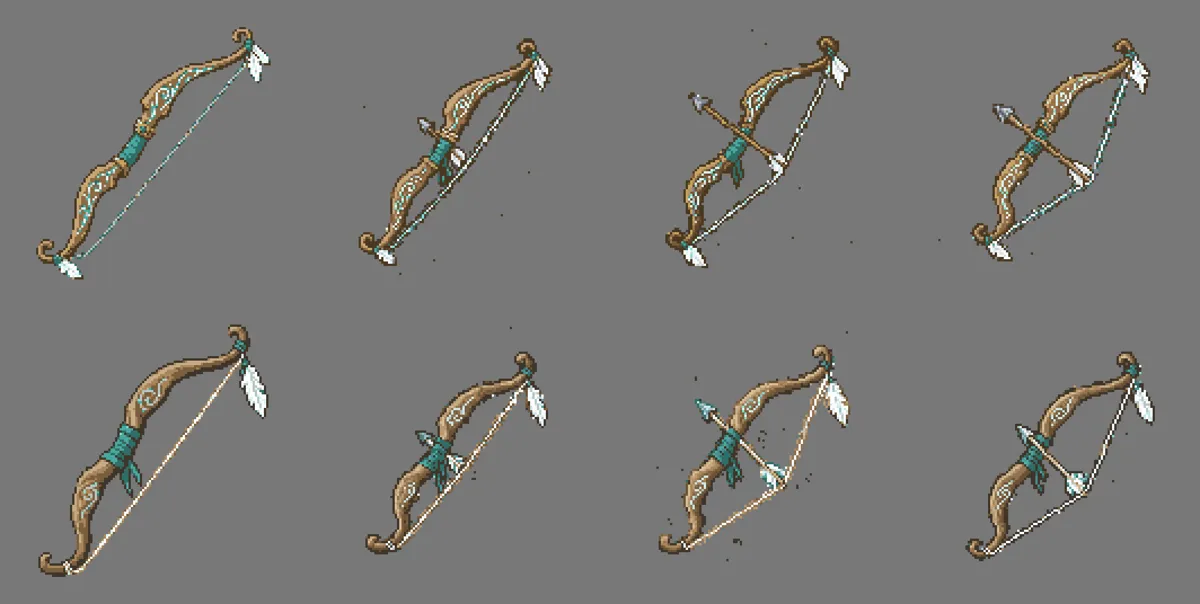
So Claude fixed them directly.
- Fix the names by comparing with the originals
- Find the center of the teal wrapping on the grip and align it to the original position
- Remove stray clumps only a few pixels in size
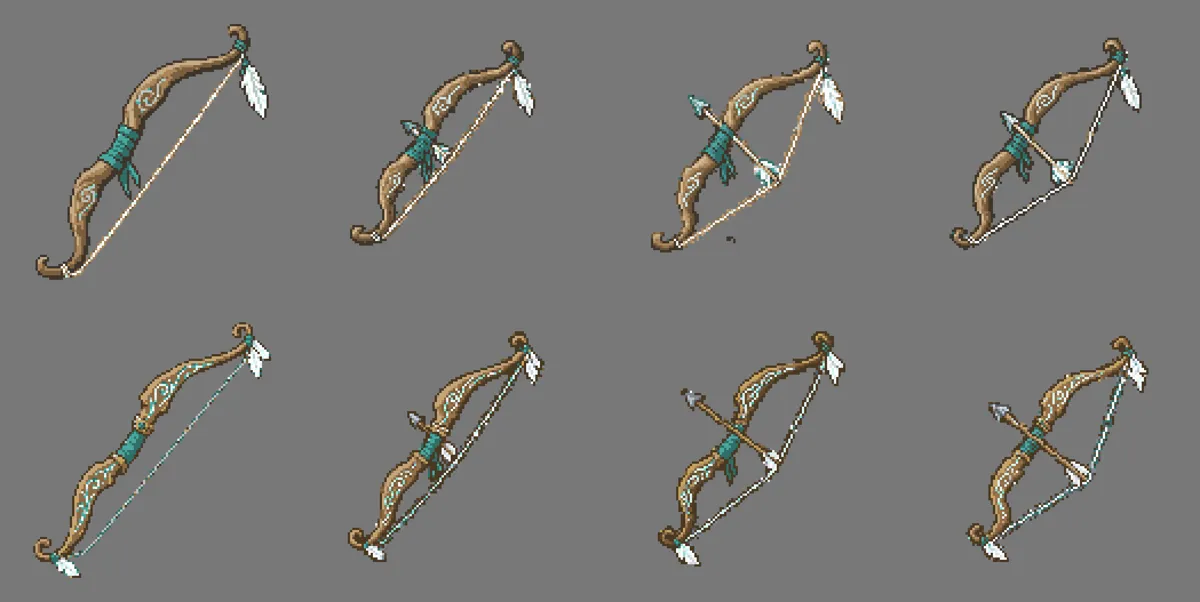
Since 1.21.4, bow pulling is built with an item definition file instead of the old overrides. Here's the actual file I used on 1.21.11.
{
  "model": {
    "type": "minecraft:condition",
    "property": "minecraft:using_item",
    "on_false": { "type": "minecraft:model", "model": "myserver:item/t0_sylvanor_bow_a" },
    "on_true": {
      "type": "minecraft:range_dispatch",
      "property": "minecraft:use_duration",
      "scale": 0.05,
      "fallback": { "type": "minecraft:model", "model": "myserver:item/t0_sylvanor_bow_a_pulling_0" },
      "entries": [
        { "threshold": 0.65, "model": { "type": "minecraft:model", "model": "myserver:item/t0_sylvanor_bow_a_pulling_1" } },
        { "threshold": 0.9,  "model": { "type": "minecraft:model", "model": "myserver:item/t0_sylvanor_bow_a_pulling_2" } }
      ]
    }
  }
}
Let's break it down 💡
assets/myserver/items/<id>.json: This file location is the "item definition" in 1.21.4+. The server only attachesitem_model = myserver:<id>to the item.using_item: Whether the bow is currently being drawnuse_duration+scale: 0.05: Draw time (ticks) × 0.05 → 1.0 at 20 ticks (1 second). Same value as the vanilla bow.
📌 Mistake 3 - The GUI Background Didn't Show Up
I added backgrounds for the Orbel menu and the quest window, but when I opened them in-game, I got the vanilla gray window with no background, and the title was pushed out past the left edge of the window.
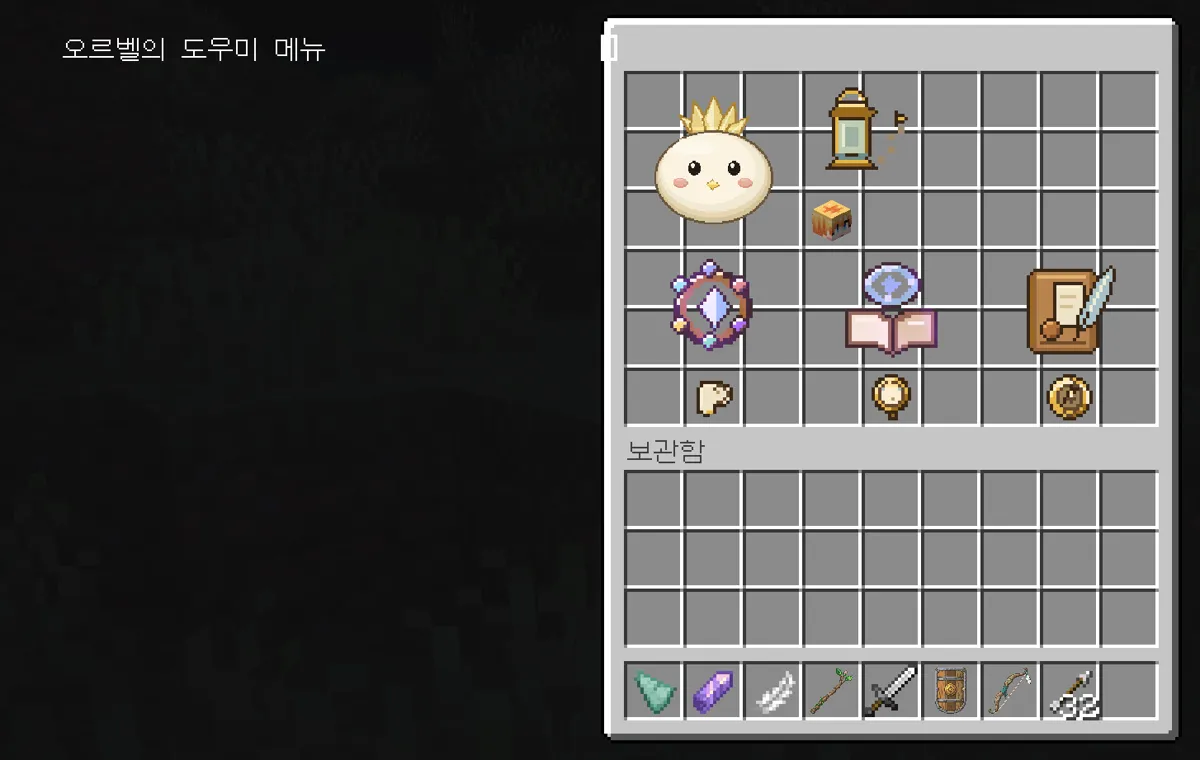
A custom GUI background works by drawing one big character (a font glyph) in the window title. To keep it crisp, I put the background in at 2x size (352×444), but a glyph that size didn't render in-game. It seems to be caused by a size limit on the atlas that font glyphs go into (probably 256 pixels). With no background, only the negative spacing that pulls the title left got applied, so the title was pushed out.
→ Switching to the 1x (176×222) background that ChatGPT had included separately fixed it right away. I added a rule: from now on, font backgrounds are 1x only.
📌 Mistake 4 - The Bow Full of Static
After bow pulling went in, the sides of the bow looked jagged like stairs and full of static.
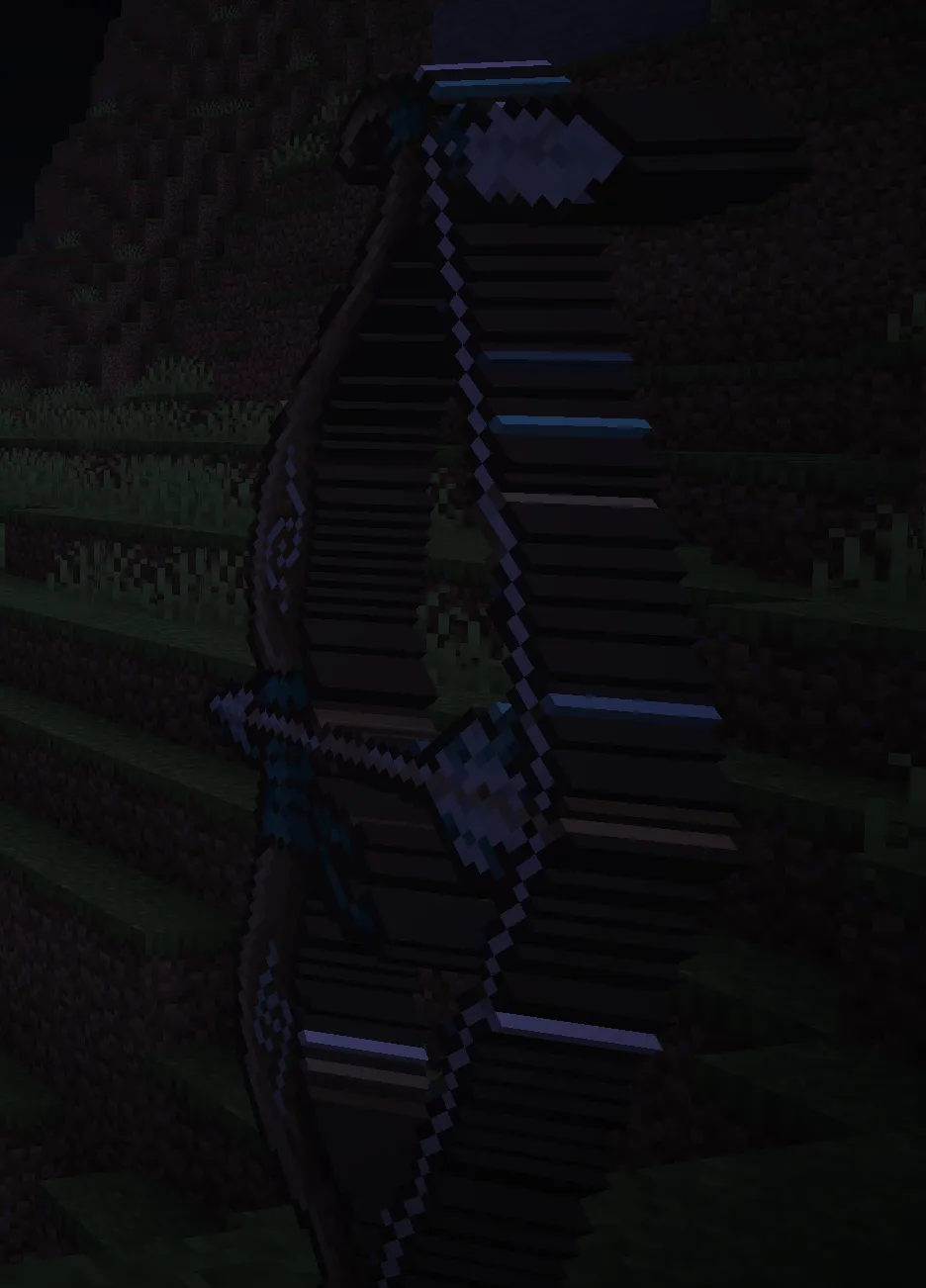
Minecraft turns a 2D item in your hand into 3D by giving every pixel thickness. That's fine for a 16-pixel image, but our bow is 128 pixels, so it generated hundreds of thin strips and pixel sides that turned into stripes.
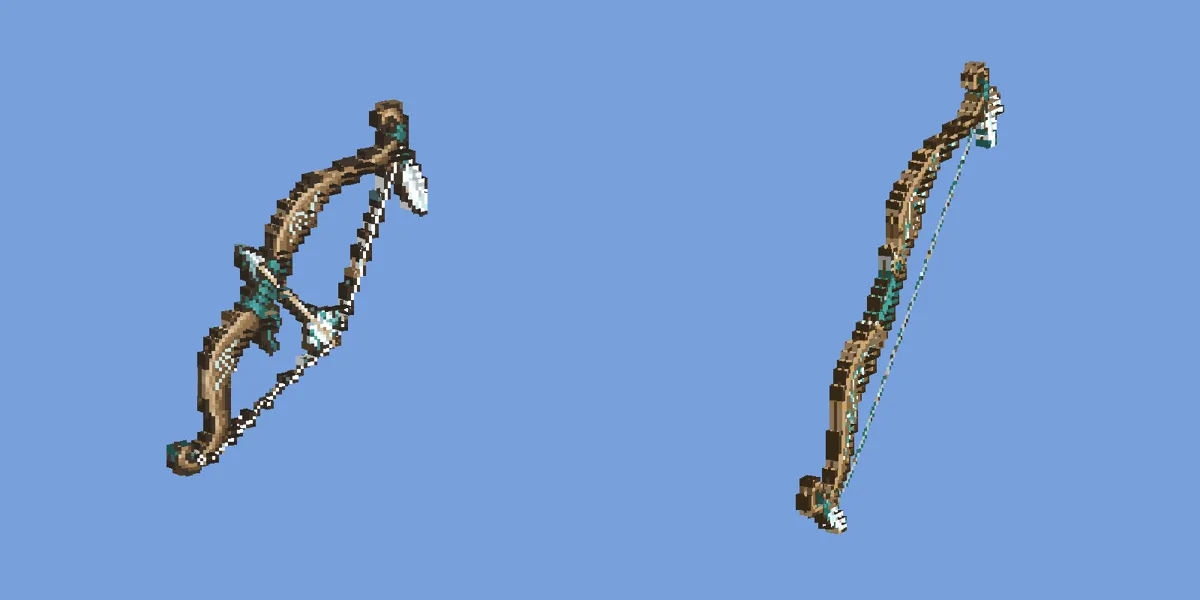
- First I switched to a single flat plane with zero thickness → the stripes went away, but it was too thin and looked awkward
- So I wrote a script that builds a model where only the bow body is grouped into a 64-cell grid with slight thickness, while the string and arrow stay flat planes (around 70–100 boxes per model)
📌 Mistake 5 - A "3D Bow" Shrunk Down to 16 Pixels
I also had ChatGPT try a real 3D bow. The model I got back had shrunk the 128-pixel image down to 16×16 and turned each cell into a single-color box. The patterns, wrapping, and feather decorations were all gone, and the body was broken up with dots floating around. On top of that, pulling used the overrides method that was removed in 1.21.4, so it didn't work in 1.21.11.
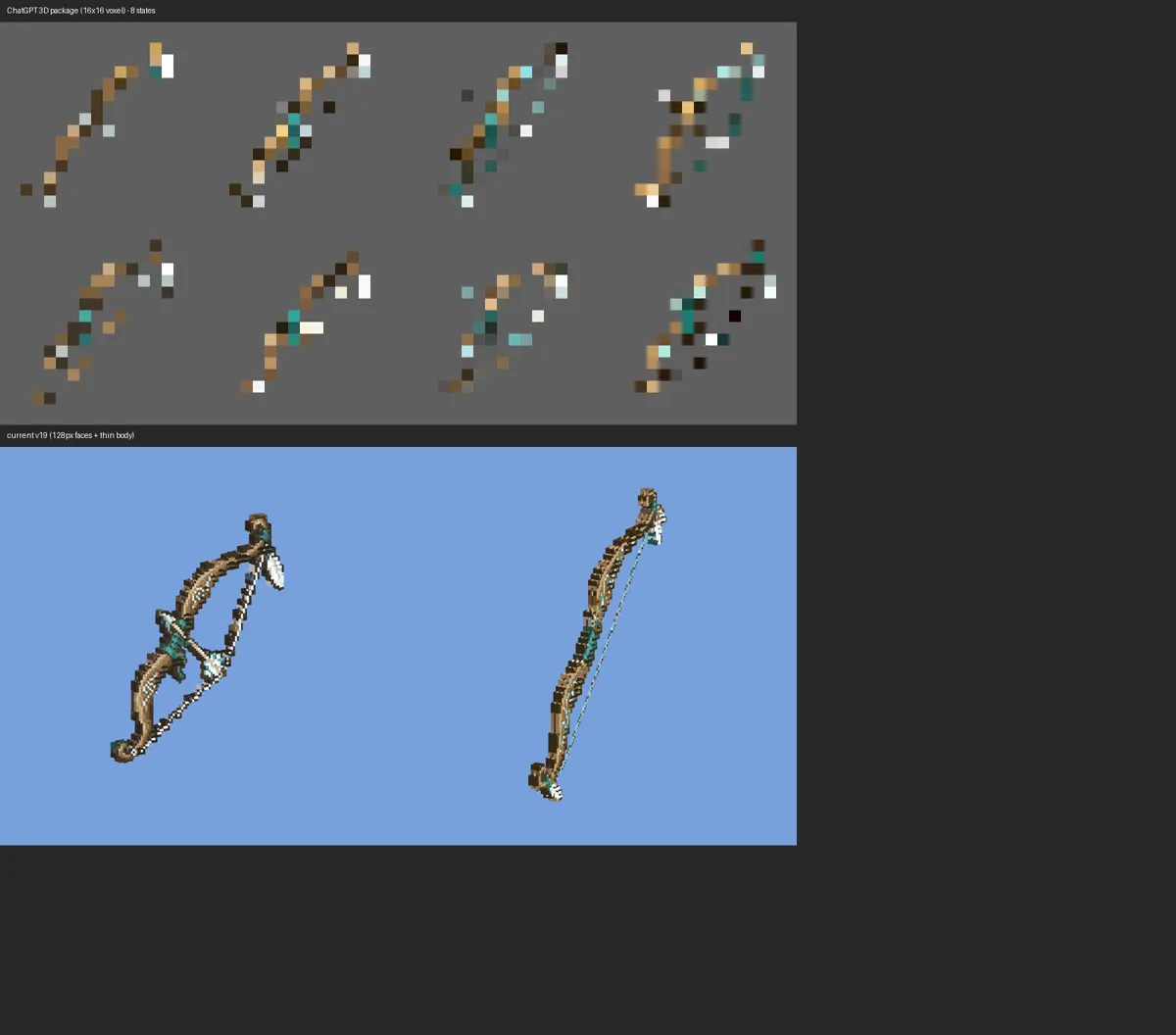
→ I archived it without applying it. For 3D, I plan to ask again later for a Blockbench model where the body is built by hand as curves, section by section.
📌 Wrapping Up
- Grid by code, art by AI — coordinates in the prompt, not vibes
- For review, look at the previews yourself, and compare pixel by pixel against the originals
- Things to remember on 1.21.11: item art goes in
textures/item/, font backgrounds at 1x, bow pulling via items/ definition files - Even if an AI made it, reject what needs rejecting
The next episode is the last in the series, and it's about running Discord. I'll cover the channels the bot manages automatically, like the decision-forum tags and check-mark rules, the command list forum, and the resource pack channel. Stay tuned 🙌
I set the direction for this post and put it together with Claude. This server is a personal project, not official Minecraft content, and is not affiliated with Mojang or Microsoft.
Series · Part 4 of 5
Building a Minecraft Server with an AI Team
- #11 AI Team Lead + 15 Team Members Building an MMORPG Plugin! 🤖
- #213 Modules in One Plugin! The Core Structure and the '1000029 Damage' Incident 🧩
- #3Numbers ×10, a 12-Hour XP Curve, and Simulating 6 Classes! 📊
- #4A Resource Pack Pipeline Where ChatGPT Draws and Claude Reviews! 🎨You are here
- #5Running the Dev Team with a Discord Bot! Decision Forum, Command List & Resource Pack Channel 🤝
